 Winsmate
Best Fortnite settings for a low end PC
Fortnite runs on a lot of old and cheap PCs and laptops if you set it up right. Here is every setting to use, then the PC fixes that matter most when your hardware is weak.
- Rendering Mode: Performance. Then restart Fortnite.
- Textures, Meshes and View Distance as low as they go.
- Lower 3D Resolution before you lower the real resolution.
- Laptop: plug it in and set Windows to Best performance.
- Close your browser before you play.
The settings
In Fortnite, press Esc, click the gear icon and open Video.
Display
| Setting | Use |
|---|---|
| Window Mode | Fullscreen |
| Resolution | Your screen’s own1920x1080 on most. Lower 3D Resolution first instead (below). |
| V-Sync | Off |
| Rendering Mode | PerformanceThe most important one. Restart Fortnite after changing it. |
| Frame Rate Limit | Your screen’s refresh rate60 on a 60 Hz screen. A steady 60 beats jumping between 40 and 90, and it keeps a laptop cooler. |
Graphics quality
In Performance mode, set these:
| Setting | Use |
|---|---|
| View Distance | NearEpic says players stay visible even on Near. |
| 3D Resolution | 100%Still low? Drop it 10% at a time. It gets blurry fast, so stop when you’re happy. |
| Textures | Low |
| Meshes | Low |
Advanced graphics
| Setting | Use |
|---|---|
| Show FPS | OnSo you can see what each change does. |
| NVIDIA Reflex Low Latency | OnNVIDIA cards only. Use On + Boost on a desktop that stays cool. |
Why 3D Resolution and not Resolution? 3D Resolution only lowers the game world. Your menus, map and health bar stay sharp. Dropping the real resolution makes everything blurry.
Fixes for weak PCs and laptops
Laptops: power first
- Plug in the charger. On battery, most laptops slow down a lot to save power.
- Settings > System > Power & battery > Power mode > Best performance, and battery saver off.
- Two graphics chips? Settings > System > Display > Graphics, add Fortnite and pick High performance.
- Keep it cool. Use a desk, not a bed or a blanket, and keep the vents clear. A hot laptop slows itself down.
8 GB of RAM: free it up
With 8 GB, Fortnite needs most of your memory. Close your browser, Discord and anything else you don’t need before you play. Turn off apps that start with Windows in Settings > Apps > Startup.
Built-in graphics: check your RAM
If your PC has no graphics card (Intel UHD or Iris, AMD Radeon Vega or similar), the graphics chip uses your normal RAM. Then RAM matters a lot:
- Two sticks are much better than one. One stick halves how fast the graphics chip can reach memory. If you can, add a matching second stick.
- Check its speed in Task Manager (Ctrl + Shift + Esc), under Performance > Memory > Speed. If it’s lower than the speed it was sold as and your PC has a BIOS setting called XMP or EXPO, turn it on.
Hard drive: move to an SSD
On an old hard drive, Fortnite hitches while it loads textures and skins. An SSD is one of the cheapest upgrades that helps. To move Fortnite, open the Epic Games Launcher, go to Library, click the three dots on Fortnite, then Manage and Move.
Clear out the junk
- Uninstall apps your PC came with that you never use: Settings > Apps > Installed apps.
- Turn off Xbox Game Bar recording: Settings > Gaming > Captures > Record what happened.
- Update your graphics driver from NVIDIA, AMD or Intel. Built-in Intel graphics get driver updates from Intel too.
What to expect
Performance mode makes Fortnite look simpler and flatter. That’s the trade. Players are still easy to see, and a steady frame rate matters more in a fight than nice shadows. If your PC still struggles after all this, the stutter guide covers the next things to check.
Rather do it in one click?
Winsmate Tweaks switches on the Windows settings that get you more FPS with one button. Debloat removes the junk Windows came with in one click. Driver check spots drivers that are out of date and RAM running slower than it’s made for.
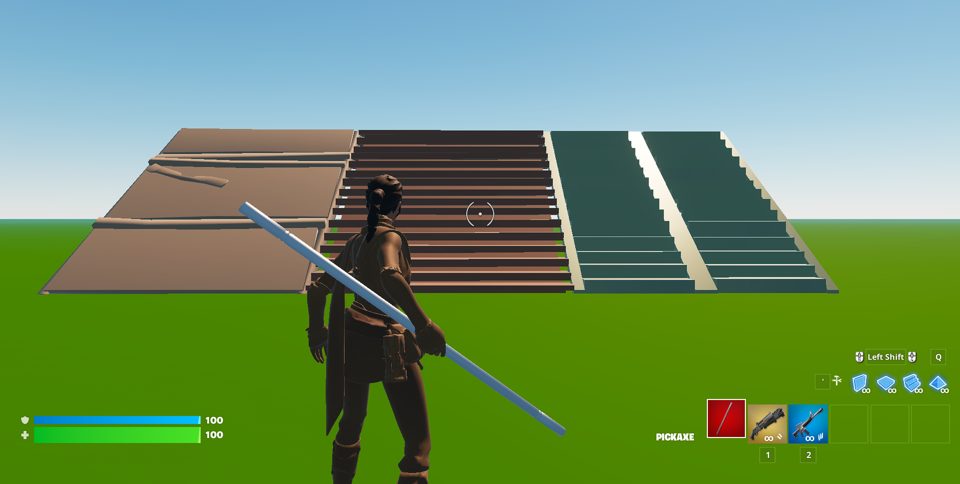
On NVIDIA cards, Potato Graphics makes Fortnite look simpler than its lowest setting. Less for your PC to draw means more FPS. Winsmate saves your old settings first, so one button puts every change back.
£7.99 once. Every future update is free.
More free guides
- Fortnite stutter fixStop freezes and FPS drops.
- How to get more FPS in FortniteThe settings that make the biggest difference.
- Fortnite input delay fixMake aim and edits feel instant.
- Fortnite tweaks: what actually helpsSafe Windows tweaks, and the ones to skip.
Still stuck? Message @winsmate_ on TikTok.